Focus on designing, not switching prototypes.
The Problem
If you've ever worked on responsive designs in Figma, you know the loop.
You're testing your prototype on mobile. You switch to a tablet frame. Then to desktop.
But every time you change frame size, Figma keeps showing the previous device.
So you stop.
Go back to the canvas.
Open Prototype settings.
Figure out which device makes
sense for this frame.
Switch it.
Return to preview.
It's a small action that requires attention and interrupts your flow. Repeated
dozens
of times in a session, it becomes tedious, repetitive, and constantly breaks the focus designers
need to
stay creative.
This frustration led me to create Auto Device Switcher, a Figma plugin that eliminates this manual task entirely.
What Does It Do?
Auto Device Switcher automatically sets the prototype device based on the width of the frame you select. When you move from a mobile-sized frame to a tablet or desktop one, the device updates instantly.
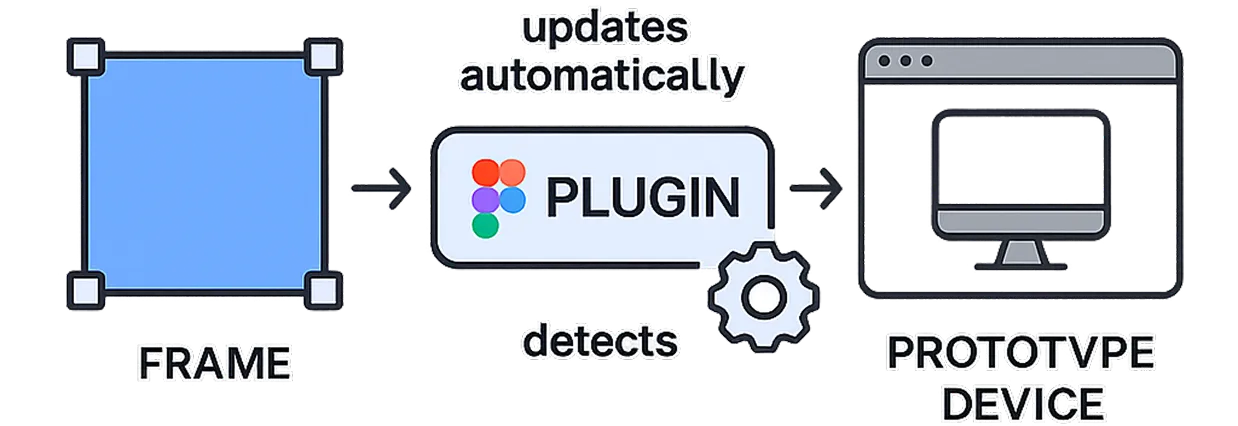
Auto Device Switcher workflow
How It Works
Auto Device Switcher runs in the background while you prototype. When you select a frame, the plugin:
- Reads the frame's width
- Maps it to a small set of predefined breakpoints (phone, tablet, desktop)
- Updates the prototype device to the corresponding Figma preset
Why I Built It
Our mental energy is too valuable to be spent on simple but cognitively expensive actions. This kind of friction will disappear with AI at some point. But in the meantime, I'm not willing to watch builders waste their attention on things that software can already handle. So I built it.
Made with ❤️ for the Figma community